To forward iPhone SMS to Google Chat: (1) In a Google Chat Space, click the Space name → Apps & Integrations → Webhooks → Add Webhook → copy URL. (2) In Re:Text, tap "+", select Google Chat, paste URL, name, test, save. Requires paid Google Workspace plan — webhooks aren't available on free personal accounts.
Google Chat (formerly Hangouts Chat) is the team messaging app baked into Google Workspace. If your organization already uses Gmail, Docs, and Calendar, Google Chat is where team conversations live — and it's a natural destination for forwarded iPhone SMS.
What you'll need
- iPhone with iOS 15+
- Re:Text SMS Forwarder installed
- Google Workspace paid plan (Business Starter or higher)
- A Google Chat Space (existing or new) where you're a member with app-adding permissions
- ~5 minutes
Step 1: Create a Google Chat webhook
- Open Google Chat (via chat.google.com or Gmail sidebar).
- Navigate to the Space where SMS should appear (or create a new Space).
- Click the Space name at the top → Apps & Integrations.
- Click Manage Webhooks (or Add Webhook).
- Enter a name for the webhook (e.g. "iPhone SMS") and optionally upload an avatar.
- Click Save.
- Copy the Webhook URL Google provides. It looks like:
https://chat.googleapis.com/v1/spaces/AAA.../messages?key=...&token=...
Step 2: Add Google Chat as a destination in Re:Text
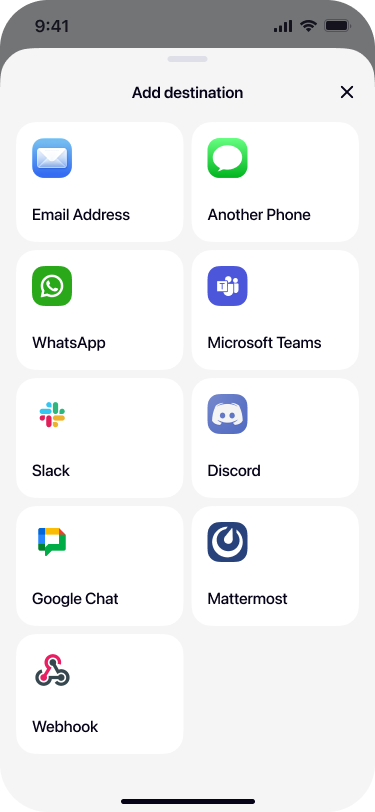
Select Google Chat from destinations
Open Re:Text on your iPhone. Tap + and select Google Chat.
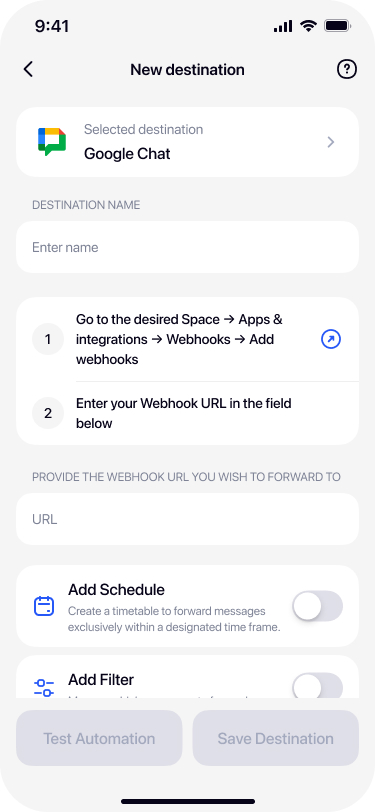
Name the destination
Give it a descriptive name — for example Team Space, Operations, or the Space name.
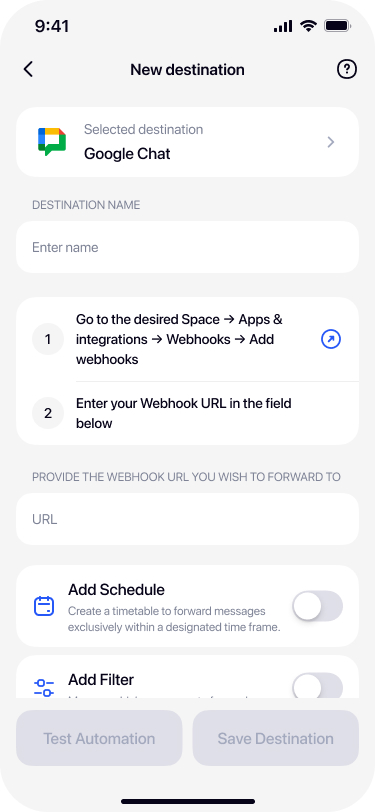
Paste the Google Chat webhook URL
Paste the URL from Google Chat into the Webhook URL field.
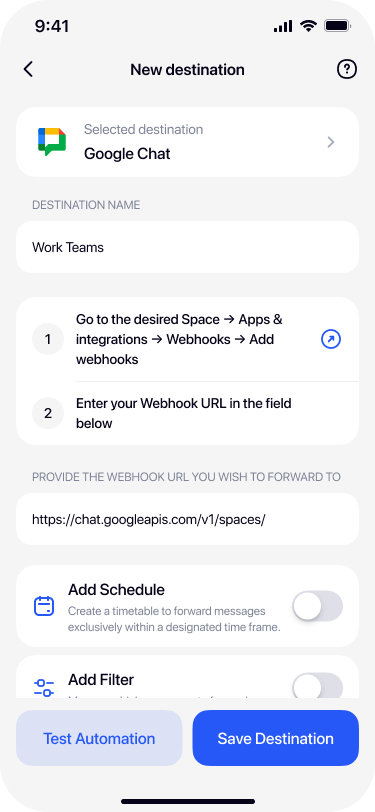
Test and save
Tap Test Automation — a test message should appear in your Google Chat Space within seconds. Confirm and tap Save Destination.
Google Chat vs Gmail — which should you forward to?
Both are Google Workspace products, but they serve different purposes:
- Gmail — better for archival, searching individual SMS over time, threading conversations with replies. Read our email forwarding guide.
- Google Chat — better for real-time team visibility, quick discussion around SMS, integration with other Workspace tools.
Many teams do both — forward critical customer SMS to a Google Chat Space for team visibility, and forward personal codes to Gmail for private archival.
Troubleshooting
Webhook not showing up in Space options
Your Google Workspace admin may have disabled webhook creation. Ask them to enable Chat webhooks in Admin Console → Apps → Google Workspace → Google Chat.
401 Unauthorized
Webhook token expired or was regenerated. Recreate the webhook in Google Chat and update Re:Text.
Free account can't create webhook
Confirmed: personal Google accounts don't support Chat webhooks. You'll need a paid Workspace plan.
Frequently asked questions
Do I need a paid Google Workspace plan?+
Yes. Google Chat Incoming Webhooks require a paid Google Workspace plan (Business Starter and higher). Free personal Google accounts don't have access to webhook creation.
Can I forward SMS to a Google Chat DM?+
Incoming Webhooks work with Spaces, not direct messages. Create a personal Space with just yourself to receive SMS privately.
How is this different from forwarding to Gmail?+
Google Chat is a real-time chat app similar to Slack, better for team visibility and quick discussion. Gmail is threaded email, better for archival and searching individual SMS.
Can I forward to multiple Spaces?+
Yes with Re:Text Premium. Set up multiple Google Chat destinations, each pointing to different Spaces.
Is SMS content stored in Google?+
Yes. Once forwarded, SMS become chat messages in Google Chat, stored under your organization's Google Workspace data retention policies.
Bring iPhone SMS into Google Chat.
Free forever with 1 destination. Google Workspace required for Chat webhooks.
Download on the App Store